What data is imported?
Boards, lists, cards, descriptions, labels, member mappings, dates, checklists, comments, and accessible attachment information. Unmatched people keep their display names; accounts are never created automatically.
Product guide
Learn Claripace through the real interface. Complete one core workflow, then explore filters, Planner, and Trello migration when you need them.
A Workspace controls people and billing. A board represents a project, lists represent stages, and cards are the work items your team completes. Create or open a Workspace, build a board and its lists, then invite teammates from Workspace members or the board Share button.
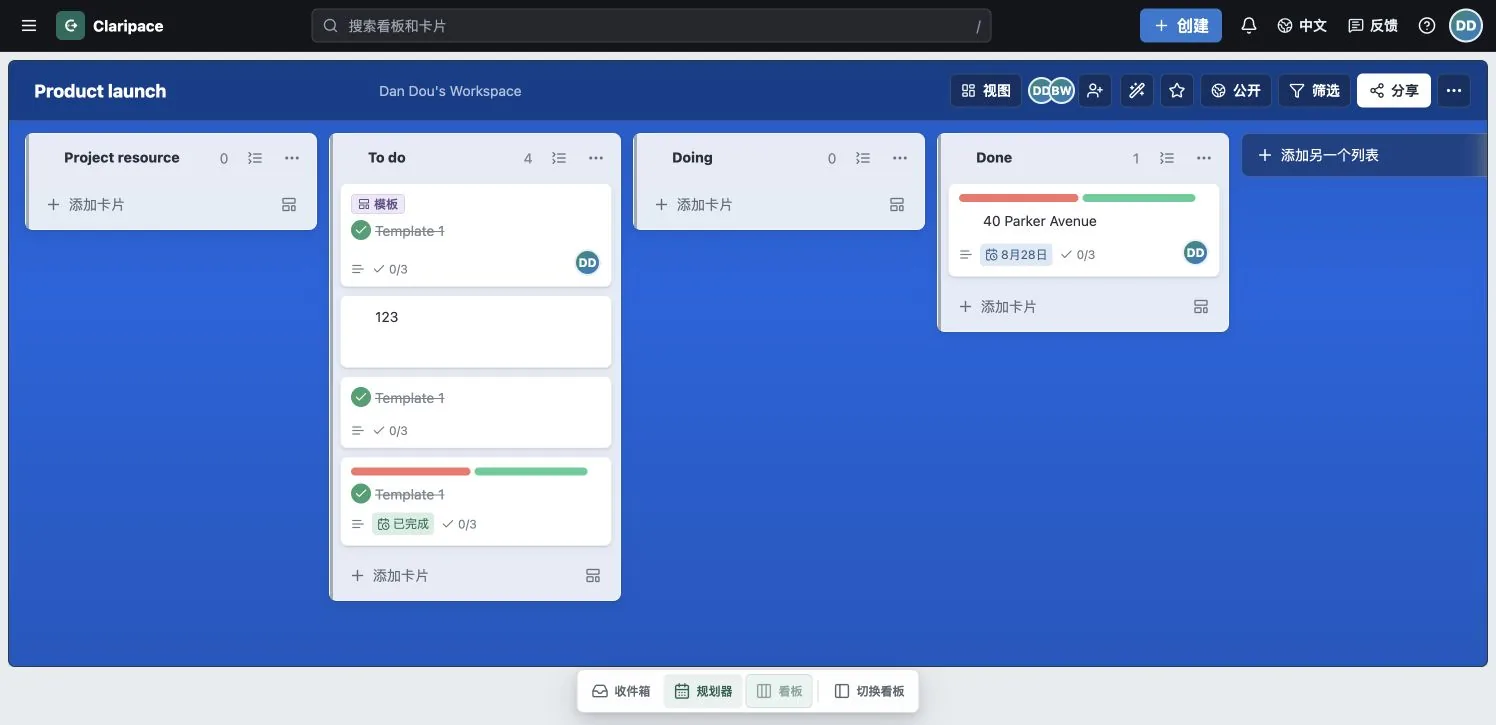
Each list represents a stage. Drag a card into another list to update its status, or reorder cards within a list to express priority. Use Add card to capture work quickly, Filter to focus on relevant cards, and Views to switch to table, calendar, and other layouts.
Open a card to assign members, apply labels and dates, write a description, build checklists, add attachments, and discuss the work. The activity stream preserves the collaboration history.
Filtering never deletes or moves cards; it temporarily hides non-matches. Planner places dated cards on a timeline so you can reserve focus time. Planner uses your account time zone.
You never need to share your Trello password. Download an official JSON export from Trello, then upload that file to Claripace. Your original Trello board is not changed.
Before you start, make sure you can open the Trello board and that you are an admin of the destination Claripace Workspace.
Open the board you want to migrate and select Show menu in the upper-right corner.
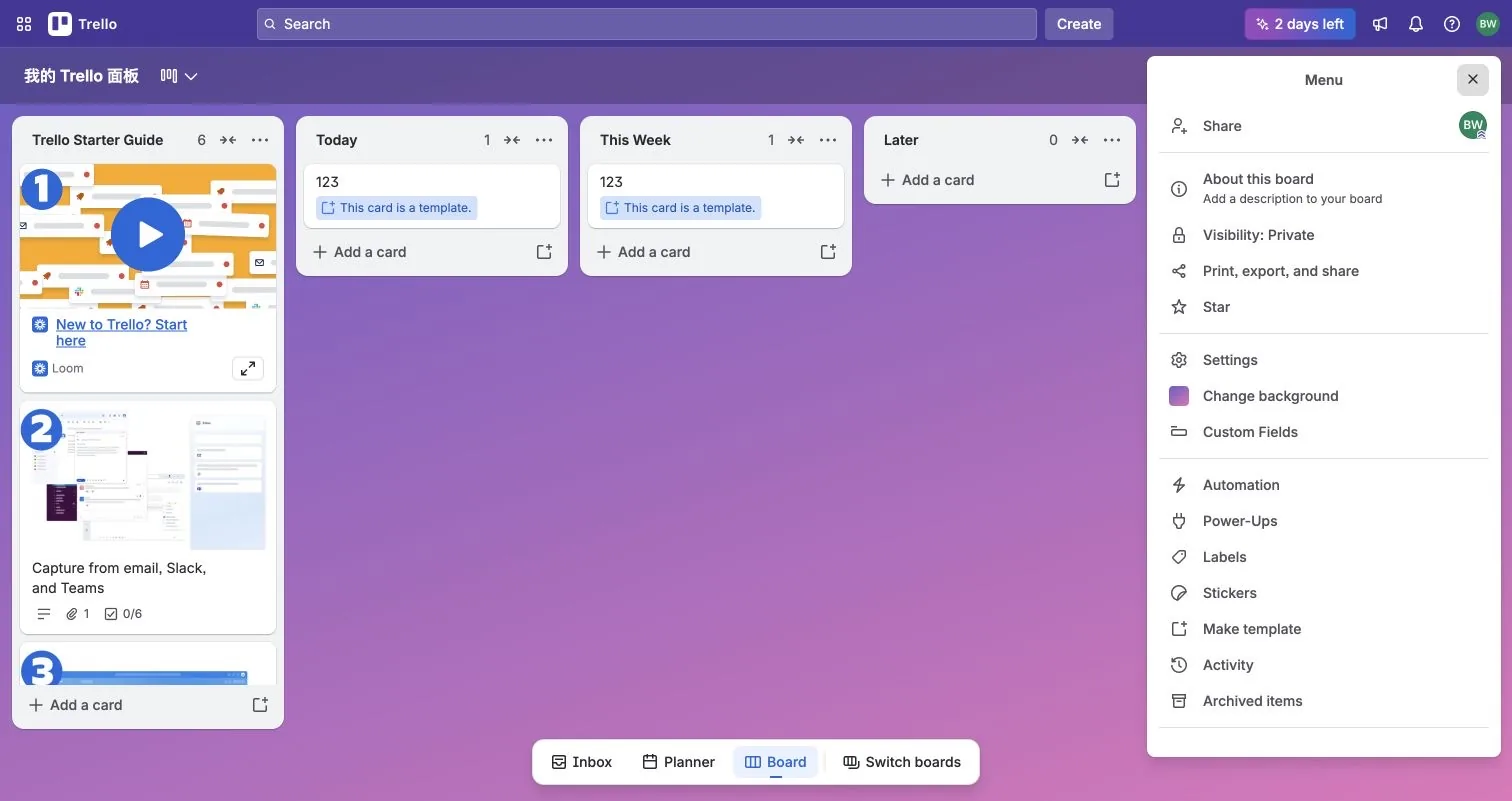
Select that menu item to reveal Trello's export options.
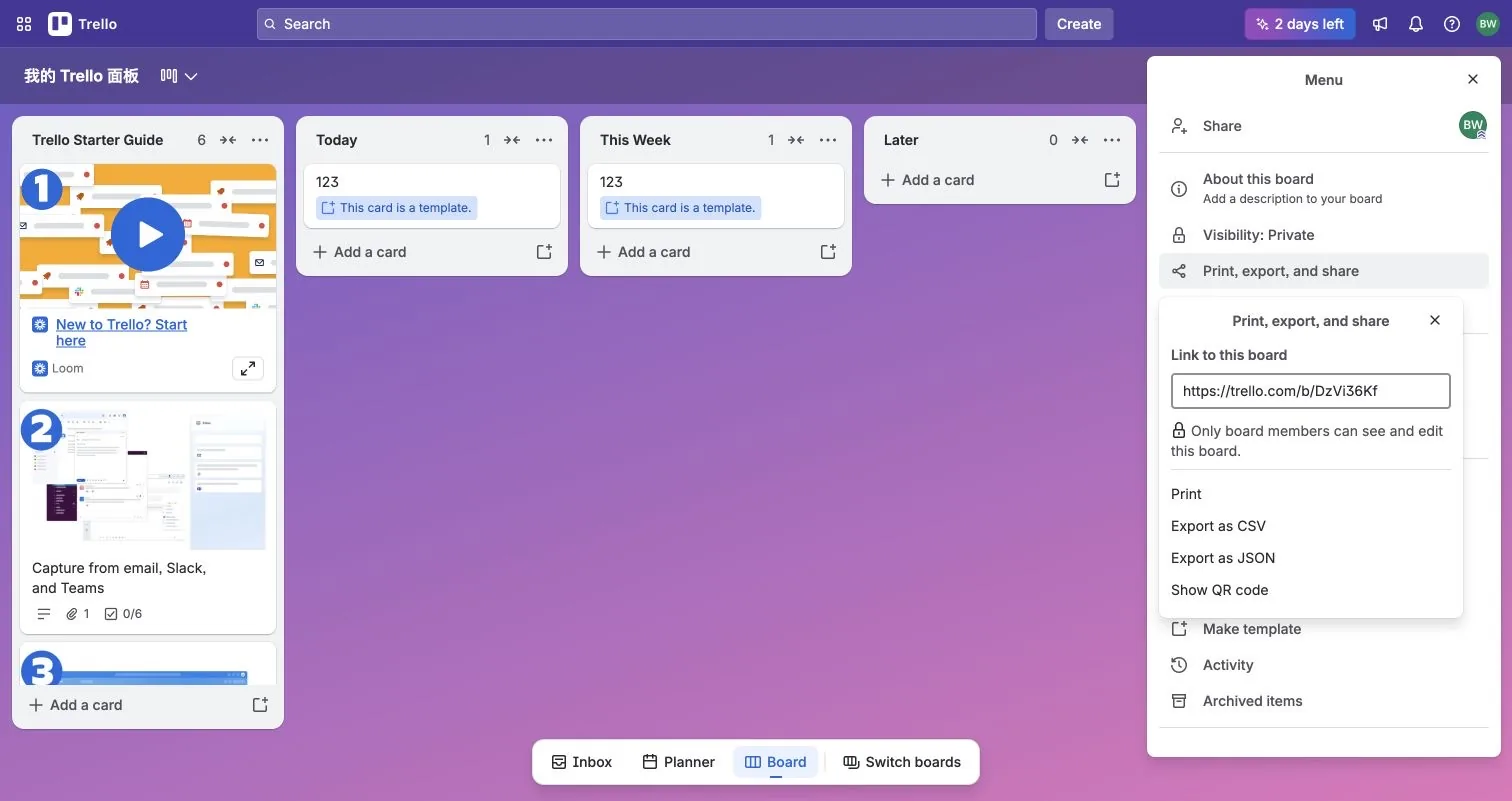
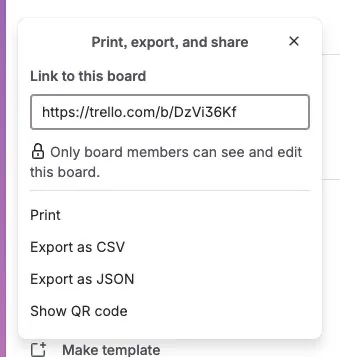
Select JSON, not CSV. Your browser downloads a .json file. Premium Workspace admins can also use Trello's Workspace ZIP export.
Open the destination Workspace, choose Import & export, then drop the JSON or Workspace ZIP into the upload area. You can also browse for the file.
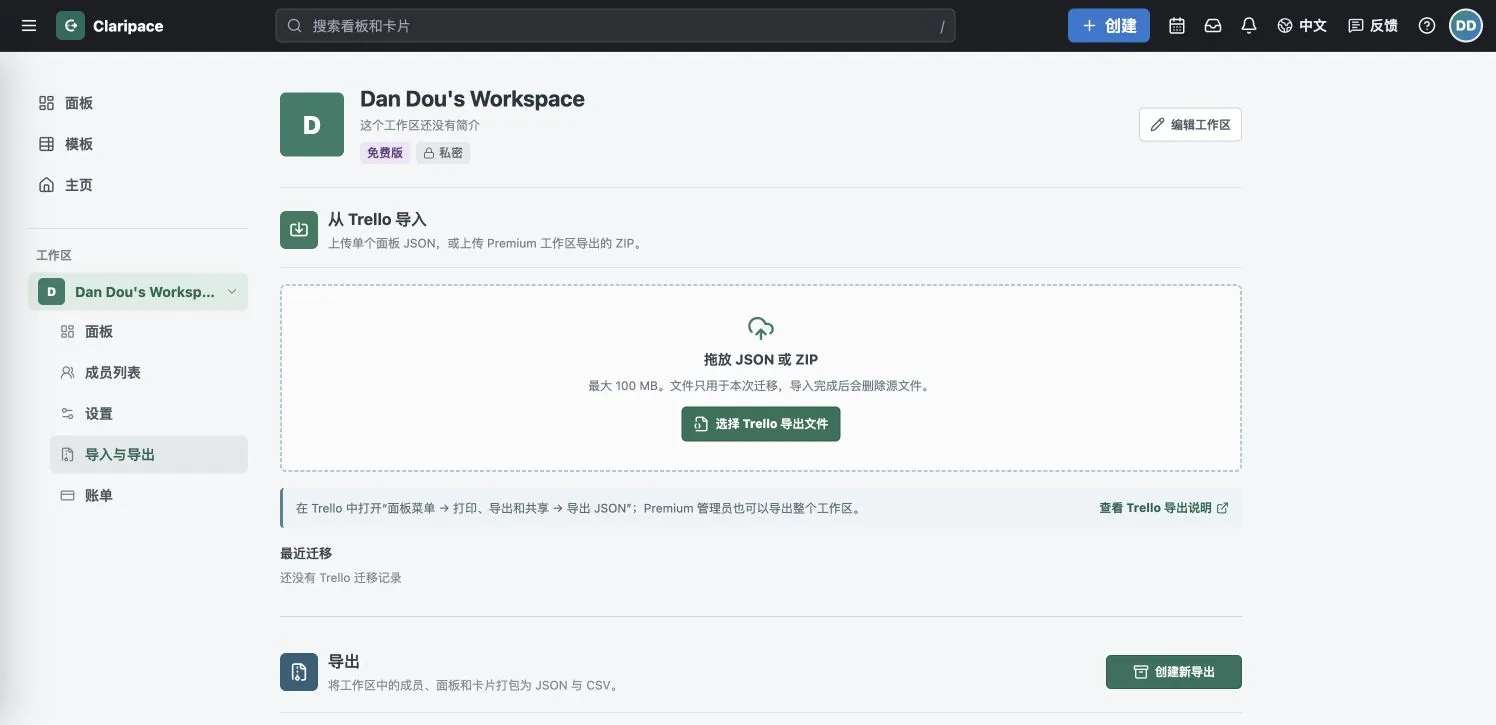
Check the board, list, card, comment, and attachment counts before starting. Large boards migrate in the background with progress; open the result from Boards when complete.
Boards, lists, cards, descriptions, labels, member mappings, dates, checklists, comments, and accessible attachment information. Unmatched people keep their display names; accounts are never created automatically.
Claripace detects when the same export is submitted again. Still review the preview and recent migration history before starting.
Downloadable files are handled during migration and external attachments keep their links. Trello Power-Ups, Butler automation, and third-party authorization are not copied and must be configured again.
Yes. Once a large import enters the background queue, it keeps running. Return to Import & export to see progress and results.